


Table of Contents
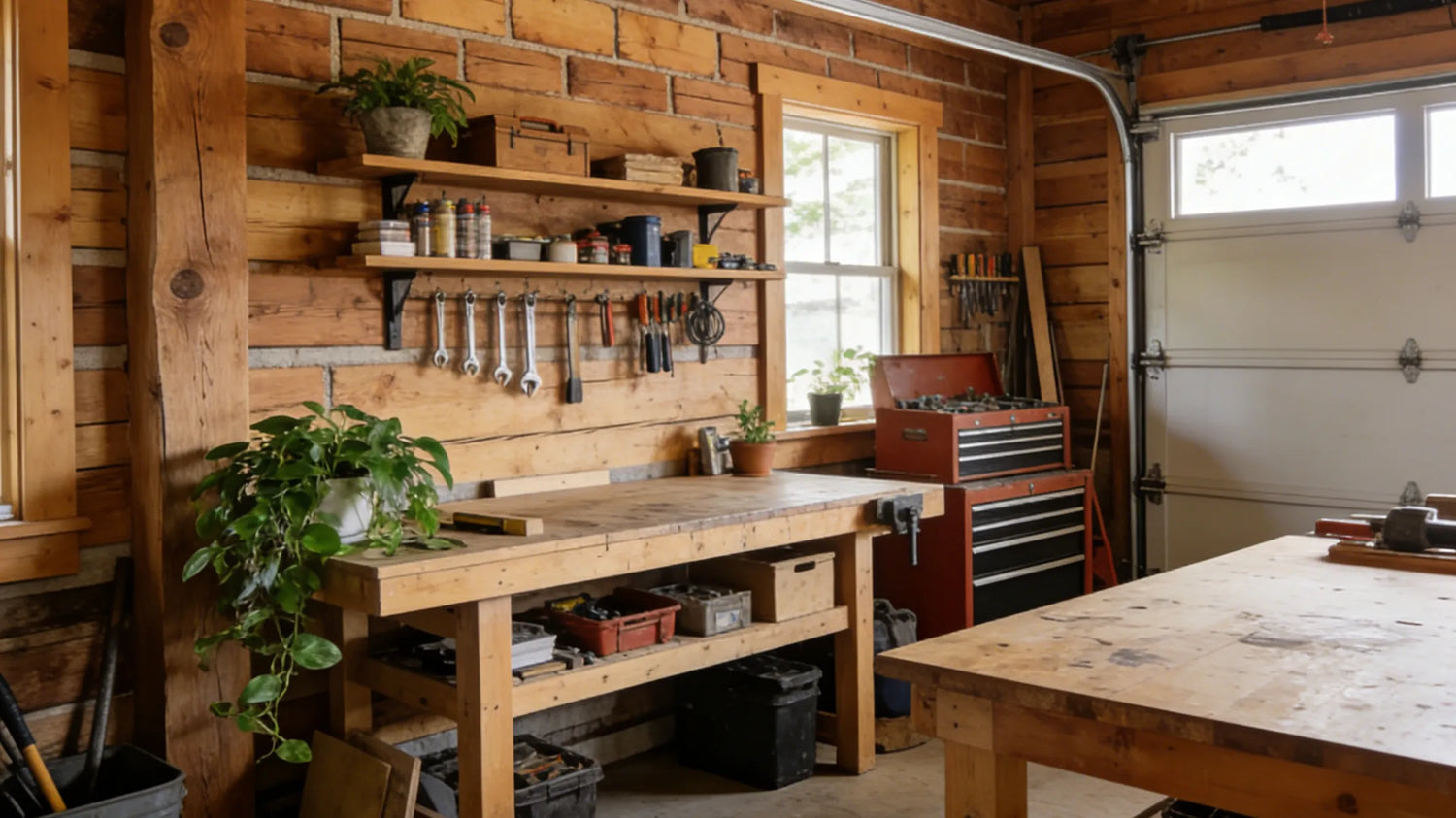
A messy workbench and a vision are behind every great project. Whether you are carving a dovetail joint, tuning an engine or adjusting a 3D printer, you experience a physical-digital divide. You are packed with skills and have the right tools, but your knowledge is still stuck on a tiny smartphone screen or a static desk.
Can you relate to the situation and want to upgrade yourself? This blog will discuss how a portable monitor on wheels is the solution for your professional home lab setup. It lets you integrate a mobile screen into your diy garage workspace ideas to bridge the gap between digital and physical mastery, giving an extremely efficient sanctuary.
Common Challenges in the Creative Process
You aren’t just someone who hits things with a hammer; you are a mix of an engineer, a researcher and an artist. However, the physical setup of most garages isn’t compatible with today’s digital projects, offering multiple barriers:
The "Neck-Crank" Problem - Constantly staying hunched over a circuit board or under a car, usually requires breaking the workflow. You have to clean your hands to fix a PC across the room or squint at the smartphone that keeps locking. This back-and-forth is annoying, leads to physical strain and increases errors. Plus, there has been a considerable rise in “tech neck”, meaning neck stiffness from device use, and chiropractors have reported a 25% or more increase in young adults and teens.
Inefficient Space - Yes, garages lack space. A fixed monitor takes valuable wall space or desk real estate that could be used for storing tools. If you are working on a bug woodworking project, a stationary screen might be 10 feet away from the sawdust’s original spot, making reference useless.
Environmental Hazards for Tech - Pricey tablets and laptops are not meant to be used in a workshop’s war zone. Things like oil splatters, sawdust and solder sparks pose a constant threat, so you keep your primary device at a safe distance. But this doesn’t show you the screen when you need it most.
The Blueprint Burden - In complex structures, momentum is everything. Breaking it to check a hands-free tutorial screen for diy tips on a distant display kills your productivity. Plus, figuring out how to view blueprints in garage usually involves printing large papers that get ruined or stained, and using greasy fingers to zoom in on a small tablet.
Analyse Scenarios To Enhance Efficiency and Convenience
When your information is as mobile as your cordless drill, it really unlocks your workshop’s potential. Here, a portable monitor on wheels works as a teammate, filling the gap between physical execution and digital theory. Integrate it into your work to transform your workstation into a high-performing environment where data is at eye level. Let’s see how this mobility serves as workshop efficiency tools, making projects easier in the long run.
The Four Essentials for a Modern Home Lab
You need an ecosystem that supports troubleshooting and creation to build a professional home lab setup, which includes four essentials.
First is the 3D printer, which is the workhorse for rapid prototyping and creating tailored housing for your projects.
Then, you have the soldering station. It's a crucial point for managing the “guts” of your electronics and circuit assembly.
An oscilloscope is another component, a diagnostic tool to visualize electrical signals that your naked eye simply can’t detect.
Have you heard about the portable display on wheels? This acts as the “central nervous system”, connecting the other three tools, displaying complex circuit diagrams, slicer settings and diagnostic data with your physical hardware.
Mechanical Repairs and Auto Work
We know that automotive work is a nightmare and you often find yourself in awkward and contorted positions where a fixed monitor on a workbench is completely useless.
You can use a portable monitor on wheels to roll the display directly next to the engine bay. As your OBD-II scanner shows live data, you can monitor sensor voltages without stepping away from the machine.
Are you working on a creeper? Then lower the portable monitor on wheels to your level. It lets you watch a specific repair guide while looking at the suspension or transmission units.
If you use a mobile display as a mirrored “touch-point,” you can keep your expensive laptop at a height safe from grease and oil. In this way, it will only interact with the durable, easy-to-clean mobile screen.

Woodworking & Crafting
Wondering which is the best monitor for a woodworking shop? The one that can dance between the “dust zone” and the “sight zone.”
Ditch those paper lists that eventually get buried under wood scraps or covered in glue. Embrace a mobile screen that keeps the list at your eye level, guaranteeing precise movements.
Furthermore, for detailed carving or rustic crafting, high-resolution reference images next to your actual workpiece make sure the proportions remain flawless throughout the build.
As an experienced maker, you know woodworking is a never-ending learning process. Therefore, use a hands-free tutorial screen for diy woodworking to let you pause and play instructional videos without losing your place during a difficult joinery assembly.
3D Printing and Electronics
At this point, a specialized home lab setup excels.
There is no need to walk all the way back to the office only to check the print progress; just roll the portable monitor on wheels to your printer bank and tweak settings or monitor a remote camera feed of the build plate.
Plus, connect a digital microscope directly to the mobile display. Instead of squinting through a tiny eyepiece to mold a microscopic SMD component, the technology lets you see the circuit blown on a crystal-clear screen.
Tired of slow troubleshooting? On the portable monitor on wheels, you can keep your PCB design software open right next to your soldering iron so you can cross-check in real-time, making things faster and less annoying.

Technical Specs for the Hardcore Enthusiast
Do you take your diy garage workspace ideas seriously? Then, you can’t just throw a cheap, static TV on a shaky trolley and pull the shutter. To truly benefit from your workshop’s efficiency tools, invest in premium hardware as the display has to tolerate dust, vibrations and harsh lighting that a regular office monitor isn’t built to handle. Therefore, prioritize the following technical standards:
Precise Mobility and Stability
A chassis is the foundation of a portable monitor on wheels. Search for a base with sturdy, industrial-grade casters featuring reliable locking mechanisms. In a garage, the center of gravity has to be low to prevent the portability tip when you roll it over cracked floors, stray bolts or sawdust piles. A weighted base keeps your expensive tech upright even in a busy workspace.
Integrate Power Solutions
The scattered cables on the floor increase tripping risk in your shop. Get an integrated power strip or a built-in battery on the stand for free movement. Furthermore, grab a display with USB-C Power Delivery, this allows the screen to act as a portal where you can charge your phone, tablet or diagnostic tools while you work.
High-Tier Display Quality
Garages usually have harsh overhead LED shop lights; therefore, buy a high-nit brightness rating to defeat glare and maintain visibility.
For viewing angles, an IPS panel is non-negotiable. Whether you are crouched on the floor or standing at a workstation, you will view the screen from various angles, so this panel offers the best colors and contrast.
Also, when learning how to view blueprints in garage settings, 4K or 1080p is vital because high resolution allows you to read difficult technical text and complex line weights without constant zooming.
Industrial Durability
Lastly, purchase a matte finish display. Glossy screens quickly get covered with grease, dust and fingerprints, making it impossible to read under normal shop lights. Moreover, a sturdy frame is essential to handle the constant vibrations from tools and occasional bumping during a busy project.
GFF S1 for Home Lab
When it comes to the best monitor for woodworking shop use or a high-tech electronics garage, the GFF S1 outshines as the premier portable monitor on wheels. It isn’t only a screen, but a mobility option designed for the rigors of a creative environment.
Purchasing a high-quality mobile display is the most effective way to revamp your home lab setup, as it removes the friction between “thinking” and “doing”. You don’t have to run back to your computer, squint at phone and manage outdated papers. Simply incorporate the portable TV into your diy garage workspace ideas to save time and prioritize your craft.
This portable monitor TV on wheels provides height adjustability, clarity and necessary ruggedness to remain part of the workshop efficiency tools kit so whether you are using a hands-free tutorial screen for diy electronics or understanding how to view blueprints in garage environments, this screen displays the required digital resources exactly when and where you need them. Therefore, instead of waiting and missing out on such an excellent opportunity, place your order and witness a drastic difference in your garage workflow.