

Table of Contents
Wireless connections are supposed to make life easier, but still, many TV users experience frustration, especially when their screens don’t mirror. Audio drops out, or devices refuse to connect. One moment, the screen sharing works perfectly. The other, the same story repeats.
This inconsistent behavior usually leaves people wondering where the issue lies. The TV, phone, or internet connection? The truth is that not all wireless technologies are built to fulfill the same purpose. Treating them alike just creates confusion.
Eager to know more? This blog will discuss how wireless casting and Bluetooth casting technologies actually work. Why do both behave differently? How to choose the right option for your viewing and sharing requirements, and whom to approach for a television that allows easy casting.
Wireless Does Not Mean the Same Thing
The word “wireless” is usually used as a blanket term, but it refers to multiple technologies. All are built for totally different purposes. This misunderstanding is a primary reason why people feel confused when using wireless casting or Bluetooth connections with TVs.
Bluetooth vs Wireless Casting
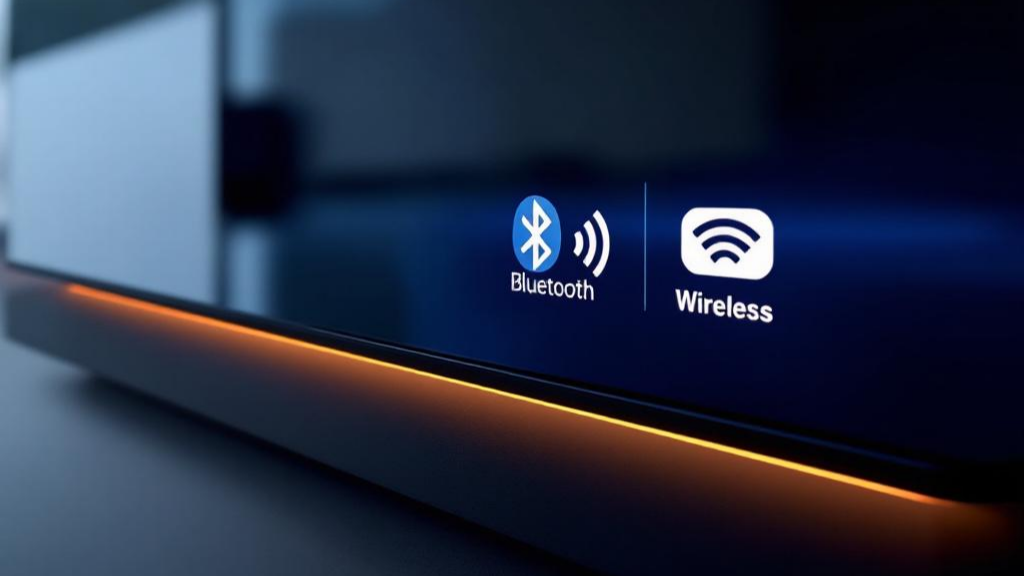
Bluetooth casting and wireless casting are not interchangeable. The former is designed for short-range, low-power connections. The latter typically depends on Wi-Fi to handle larger amounts of data. Expecting both to perform in the same way results in immense frustration.

How Connections Work?
Bluetooth casting often operates as a one-to-one connection, where your phone directly sends audio to a soundbar or a TV.
On the other hand, wireless casting is network-based. Here, both devices are connected to the same Wi-Fi network, allowing full video streaming.
What’s the True Difference
View “wireless” as a category, not a single solution. Each casting method has its distinct strengths, limitations, and ideal use cases. This explains why one may operate better than another in the same setting.
What Bluetooth Is Mainly Designed For?
Bluetooth was developed with efficiency, simplicity, and low power consumption as its primary principles. The technology’s main purpose is to allow quick, direct connections between nearby devices without an internet connection or a complicated setup.
Due to this design, Bluetooth is ideal for lightweight data transmission, particularly audio, rather than high-bandwidth tasks such as video streaming.
Common Bluetooth Uses on TVs
On televisions, Bluetooth is usually used to connect accessories. These are wireless headphones and keyboards. External speakers, game controllers, and remote controls.
Such devices exchange small packets of data, which Bluetooth handles reliably and efficiently. This is where the Bluetooth casting concept is misunderstood. Yes, Bluetooth can send audio and limited data. But it is still not designed for full-screen mirroring or high-resolution video playback.
One-to-One Connection Model
Bluetooth operates using a direct, one-to-one connection. Your device or phone straightaway pairs with the TV, bypassing Wi-Fi networks or routers entirely. This makes the casting highly convenient, especially where Wi-Fi is weak or unavailable. But you also need to brace yourself for limited bandwidth and reduced stability for complicated visual content.
Limitations for Bandwidth and Performance
Bluetooth prioritizes low power usage; therefore, it can’t support the large data loads required for high-quality, smooth video transmission. Attempting to stream video or mirror a phone screen gives you poor quality or interrupted visuals.
Latency Issues
Despite improved synchronization in modern Bluetooth standards, you will still experience minor delays, especially when video and audio are transmitted together. These latency issues make Bluetooth casting less suitable for watching videos or gaming on a TV.
Where Does Bluetooth Excel?
Bluetooth steals the limelight in connecting accessories and simple media sharing. It is energy-efficient, easy to set up, reliable, and effective for its main purpose. But it was never meant to replace the upgraded wireless screen-sharing technologies.
What Is Wireless Casting?
Wireless casting technology enables your content to display from one device to on another screen. Be it a smartphone, laptop, or tablet. It depends on a shared Wi-Fi network to amaze you with delivering higher data bandwidth and a more stable performance.
Wireless’s Casting’s Working
When you switch on wireless casting, the source device functions as a controller, instead of continuously sending the media to itself. In multiple scenarios, the TV receives the instructions and then streams the content directly from the internet. This lessens battery usage and processing load on your laptop or phone, without disrupting playback quality.
Content and Performance Capabilities
Wireless casting supports premium media features. Some of them are HD and 4K video, synced audio, subtitles, and app-based streaming. The high data capacity encourages you to use wireless casting for YouTube, Netflix, and screen-sharing during meetings or presentations.
Network Requirements
If you want wireless casting make sure that both, your sending device and the TV are connected to the same Wi-Fi network.
Software compatibility between applications and devices also plays an important role in successful casting.
Advantages
Unlike Bluetooth, wireless casting offers greater bandwidth. Plus, higher video quality and better synchronization. It is designed for full media experiences rather than simple data transfer.
Limitations and Challenges
Wireless casting also has a few limitations. Network congestion, router issues, or software updates affect it. These factors explain why casting may work seamlessly one day and encounter issues the next, with no apparent changes.
How Do Chromecast, AirPlay, and Miracast Differ?
AirPlay, Chromecast, and Miracast are all wireless casting technologies. These are created to display content from one device, usually a TV, onto another. While serving a similar purpose, their working style differs. This further impacts stability, performance, compatibility, and the entire user experience:
Chromecast
Chromecast is Google’s wireless casting technology. According to Coolest Gadgets, from watching movies and shows to casting YouTube videos or turning a regular TV into a smart one, Chromecast has become a famous tool in numerous homes. It is widely supported across Android browsers, devices, and many smart TV platforms.

Chromecast simply sends a command to the TV or device that supports Chromecast. Then, the TV directly pulls the content from the internet.
This casting reduces battery drain on your phone, allowing smooth, uninterrupted playback. You don’t need to keep your phone open or stop using other applications because the TV handles the streaming itself. Therefore, you can use your phone or even leave the room as the playback won’t interrupt.
This wireless casting is reliable for Netflix, Spotify, and YouTube, where app-level integration is built in.
AirPlay
AirPlay is Apple’s proprietary screen-mirroring technology and wireless casting. According to Market Research, the AirPlay Wireless Display Market in 2025 is valued at $6.4 billion. It is expected to reach $20.1 billion by 2034.

AirPlay permits iPhones, iPads, and Macs to stream media or mirror their screens to AirPlay-compatible smart TVs and Apple TV.
This wireless casting technology excels in convenience and performance within the Apple ecosystem. It offers features like premium-quality video, synchronized audio, and minimal lag, making it perfect for both media presentations and playback.
However, AirPlay’s wireless casting works best when all devices are Apple-branded or officially licensed. So, flexibility can become limited with mixed-device layouts.
Miracast
Miracast, another wireless casting technology, functions more like a wireless HDMI cable. According to Research Intelo, in 2024, the Global Miracast Wireless Display market was valued at $2.1 billion. And in 2033, it is predicted to reach $7.8 billion.

The technology creates a direct Wi-Fi connection between the source device and the TV, instead of using a shared Wi-Fi network. This allows full-screen mirroring without internet access. But, at the same time, Miracast becomes more sensitive to interference and delivers less consistent performance.
Plus, the source device handles everything; streaming, battery usage, and stability can be concerning during prolonged use.
Choose the Right Technology
Each wireless casting method has its unique strengths. Chromecast is for app-based streaming. AirPlay shines within Apple environments. And Miracast offers flexibility without depending on the network. Understanding the differences helps users select the most reliable option for their network conditions, devices, and viewing requirements.
Why Screen Casting Sometimes Works and Sometimes Doesn’t?
It is rarely random for a screen casting to work inconsistently. Most issues arise due to several factors interacting. These are network congestion, outdated device software, background processes competing for resources, and incompatible applications:
Wi-Fi Quality
Wireless casting heavily depends on Wi-Fi’s performance. Overloaded networks, weak signals, or limited router capabilities hinder data transmission. Distance from the router or walls also affects casting stability, causing disconnections or buffering.
Device and App Compatibility
Not all TVs support every wireless casting technology. Some applications don’t allow casting due to security policies or licensing. These barriers prevent casting your favorite shows, even when the network is working correctly.
Bluetooth Casting Limitations
Bluetooth casting usually fails when users do full-screen mirroring or stream high-resolution videos. This is because Bluetooth is not designed for complicated visual content. It is made for simple, low-bandwidth connections.

Which Wireless Technology Should You Choose?
Bluetooth For Connecting Audio Devices
It’s ideal for connecting audio devices and accessories such as speakers, headphones, keyboards, and remote controls. Bluetooth casting offers quick pairing, consumes low power, and performs reliably without a Wi-Fi network. Use for simple, short-range connections.
Chromecast and AirPlay For Video Streaming
Consider Chromecast and AirPlay for video streaming, full-screen sharing, and presentations. These wireless casting methods use Wi-Fi to handle high-bandwidth content, making them best for visual media.
Conclusion
Bluetooth casting and wireless casting technologies work differently; therefore, use them for their intended purposes. Otherwise, you will continue feeling frustrated. Furthermore, purchase GFF-AI for flawless wireless casting.
About the Author:
Nana Xu is a tech writer and product enthusiast who focuses on smart home devices and innovative display technologies. With a passion for user-friendly design and new trends in consumer electronics, she helps readers make smarter choices for modern living.