






Table of Contents
When a display lists “100% sRGB” in its specifications, it means it covers the full sRGB color gamut—a standard widely used for web images and everyday digital content. But that number describes the range of colors a screen can reproduce, not how accurately it displays them.
For anyone comparing monitors, laptops, or portable TVs, that distinction matters. Two screens with 100% sRGB coverage can still look different because of their calibration, white point, and color settings.
This guide explains what 100% sRGB means, when it’s enough for your needs, and what else to check before choosing a display.
What Is sRGB?
sRGB stands for “standard Red Green Blue.” Developed by Microsoft and HP, it is a color space that provides a common reference for how digital colors are represented. It is widely used for web images, graphics, and everyday digital content.
Think of sRGB as a shared color language: it helps compatible devices and software interpret the same image consistently. However, it does not guarantee that every screen will look identical. The display’s color capabilities, calibration, and software color management all affect the final result.
What “sRGB 100%” Means?
When a display specifies 100% sRGB coverage, it means its color gamut covers the entire sRGB color space. A screen with lower coverage cannot reproduce some colors within that range, which may make certain saturated shades appear less vivid.
However, 100% sRGB coverage does not mean 100% color accuracy. Coverage describes which colors a screen can reproduce; accuracy describes how closely the displayed colors match their intended values. A screen can cover the full sRGB gamut and still show a noticeable color tint or inaccurate tones.
For everyday browsing, web images, and general use, full sRGB coverage is a useful specification. When comparing displays, also look for measured color accuracy and calibration information rather than judging picture quality by the coverage percentage alone.

Why Color Accuracy Matters in Portable TVs?
Accurate colors help skin tones look natural and photos, videos, and graphics appear closer to their intended look. When choosing a portable TV, consider both color gamut coverage and color accuracy—100% sRGB coverage alone does not guarantee accurate colors.
GFF’s 4K Display: Color, Contrast, and Detail
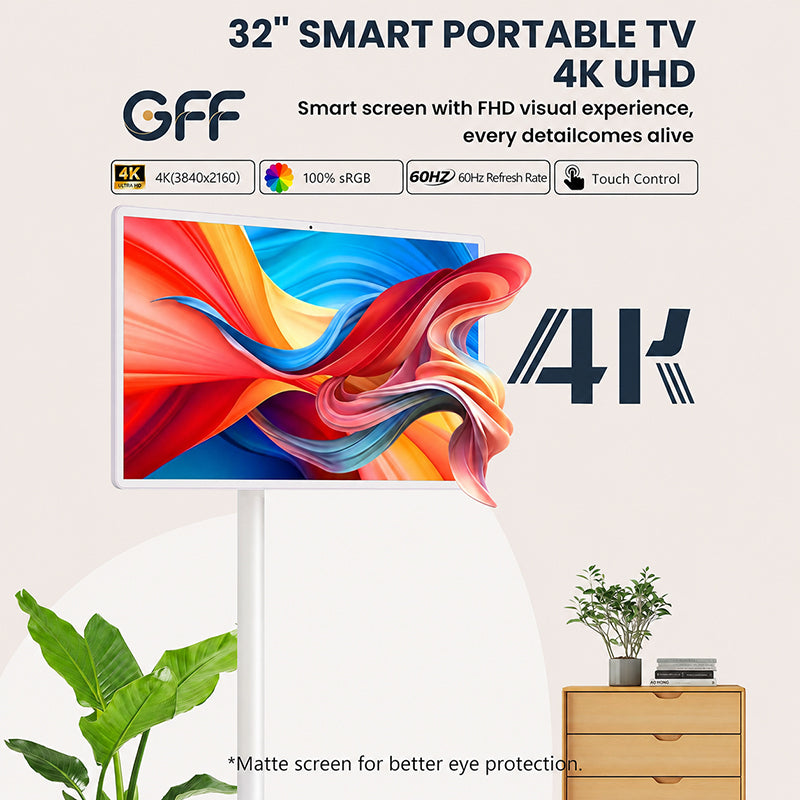
GFF’s new 32-inch 4K portable TV combines 100% sRGB coverage with a 3840 × 2160 UHD resolution. Full sRGB coverage supports the color range widely used in web images and everyday digital content, while 4K resolution provides fine detail for photos, text, and video.
A specified 4000:1 contrast ratio describes the difference between the display’s brightest white and darkest black. Its 8-bit color depth supports approximately 16.7 million colors, while the 60Hz refresh rate suits everyday viewing and navigation. A low-blue-light feature is also included for users who prefer to reduce blue light output.
Together, these specifications describe different aspects of the viewing experience. Actual color accuracy still depends on calibration and display settings, rather than sRGB coverage alone.
sRGB vs. DCI-P3 vs. Adobe RGB
These color spaces serve different purposes. A wider gamut can reproduce more saturated colors, but it does not automatically mean better color accuracy.
| Feature | sRGB | DCI-P3 | Adobe RGB |
|---|---|---|---|
| Main purpose | Web images and everyday digital content | Digital cinema | Photography and print workflows |
| Color range | A common baseline for consumer displays | Extends beyond sRGB, especially in reds and greens | Extends beyond sRGB, particularly in greens and cyans |
| Best suited for | Browsing, general use, and creating images for the web | Cinema work and evaluating wide-gamut display capabilities | Editing photos for compatible printing workflows |
| What to check | Coverage, calibration, and measured color accuracy | Coverage, white point, and support for the intended content | Coverage, calibration, and printer/paper profiles |
| Key limitation | Cannot represent some highly saturated colors available in wider gamuts | Wider coverage alone does not guarantee accurate colors or good HDR performance | Benefits depend on a color-managed workflow and the intended output |
How to Test Your Display’s Color Accuracy?
Online test patterns can help you spot obvious color tints, uneven gradients, or lost shadow detail. However, visual checks cannot confirm 100% sRGB coverage or measure color accuracy.
For reliable measurements, use a compatible colorimeter and display-testing software. These can assess gamut coverage, white point, and color differences, often reported as Delta E.
If you don’t have testing equipment, look for independent measurements or a calibration report for your specific model. Treat visual checks as a starting point, not proof of accurate colors.
Color Accuracy and Viewing Comfort
Accurate colors can make skin tones, photos, and videos look more natural. However, 100% sRGB coverage is not an eye-care certification and does not guarantee reduced eye strain.
For more comfortable viewing, adjust screen brightness to suit your surroundings, reduce glare, and take regular breaks. Evaluate low-blue-light and flicker-related features separately from color gamut specifications.

The Future of Display Color Standards
Wider color gamuts are expanding what displays can reproduce, but sRGB remains an important reference for web images and everyday digital content. The goal is to match the display’s output to the content—not simply make every color more saturated.
For portable TVs, wider gamut coverage is only one part of picture quality. Color accuracy, brightness, contrast, and power consumption also matter. When comparing newer models, look for verified specifications and measured performance rather than assuming a larger gamut percentage guarantees a better screen.
Conclusion
We hope you understand sRGB’s importance. It plays a vital role in offering visual vibrancy for everyday users and professionals. So, if you want to buy a portable TV on wheels, purchase from GFF-AI.


