
Table of Contents
Work-from-home setups haven't caught up with work-from-home reality. In the U.S., federal return-to-office mandates have pulled some workers back, while parts of Europe still let employees request remote arrangements. Either way, hybrid and remote work aren't disappearing in 2026 — and most home offices are still running on gear built for a laptop-only era.
The result: cramped screens, constant window-switching, and a slow bleed of focus and comfort. The GFF S1 — a 32" rollable touch screen on wheels — is built to solve that, and it does more than a fixed second monitor ever could.
Screen Space Is the Real Bottleneck
It's rarely your internet connection or your collaboration software slowing you down. It's screen space.
Most home setups rely on:
- A single laptop display
- One monitor locked into a fixed spot on the desk
- Constant alt-tabbing between documents, chat, and reference material
That setup makes ordinary tasks harder than they should be — cross-referencing a document while writing, keeping Slack or Teams visible during focus work, or reading long reports and code without losing your place. Every extra window switch is a small tax on attention, and it adds up over an 8-hour day.
Laptops in particular weren't designed for all-day use. Text feels cramped, eye movement stays horizontal, and looking down at a low screen for hours strains the neck. Professionals often push through this because the setup still "works" — but working around a limitation isn't the same as working well.
What Makes the GFF S1 Different From a Standard Monitor
Most secondary-screen advice stops at "add a vertical monitor." The GFF S1 goes further — it's a 32" Full HD touch screen on a rolling stand, not a monitor bolted to one spot on your desk.
Display
- 32" Full HD touch screen at 1920×1080 for sharp, vibrant visuals
- sRGB 100% color accuracy with an anti-fingerprint, smudge-resistant coating
- Adjustable tilt and height so the screen sits at eye level, in either portrait or landscape orientation

Smart performance
- Runs Android 13, with direct access to the Google Play Store for apps, streaming, and productivity tools
- ARM 8-core processor for smooth multitasking and fast app launches
- Wireless screen casting from a phone, tablet, or laptop — no cables required
Three ways to control it
- Touch: direct interaction with the responsive 32" screen
- Voice: hands-free navigation
- Air remote mouse: wireless control from across the room
Built to move
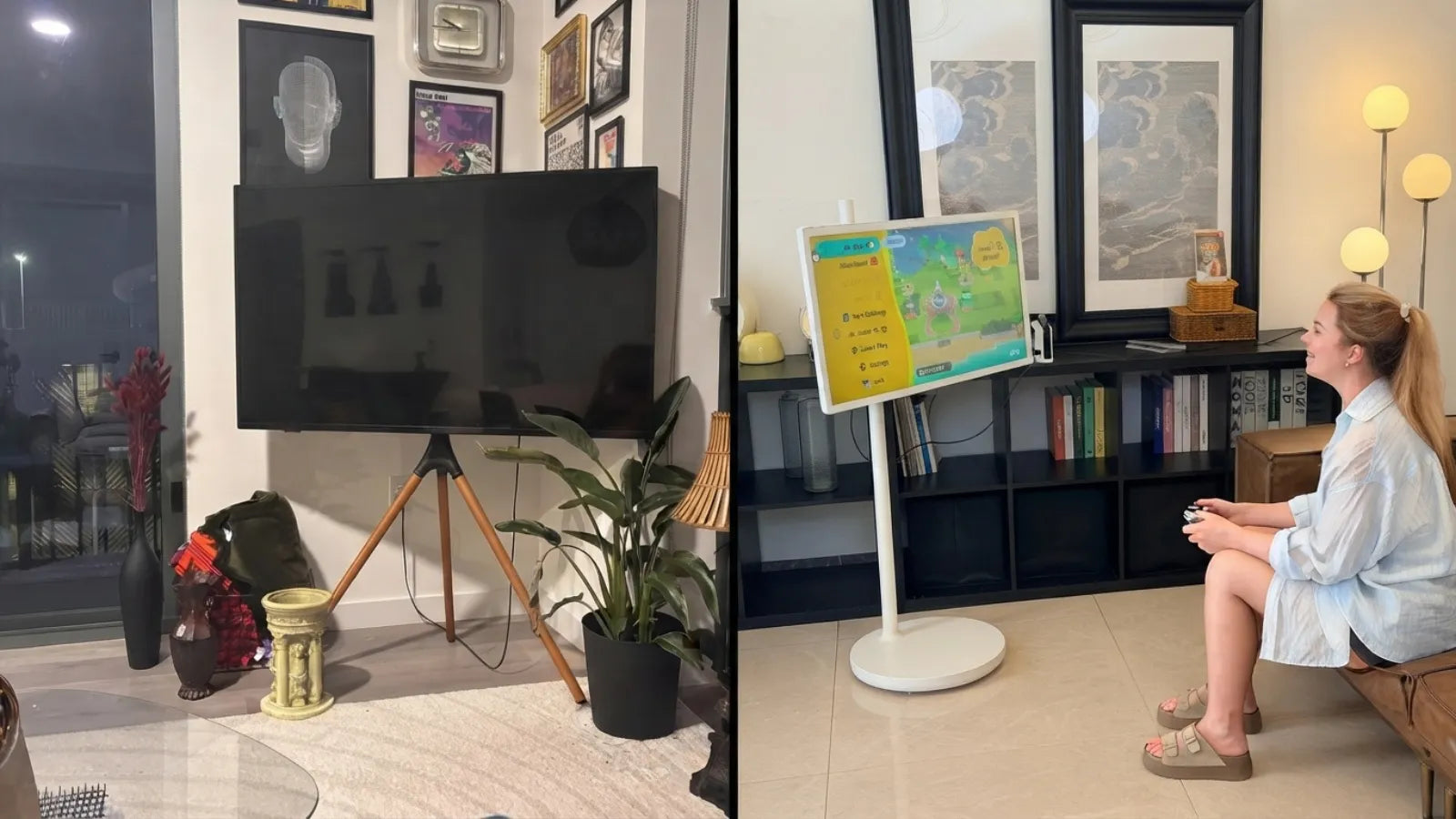
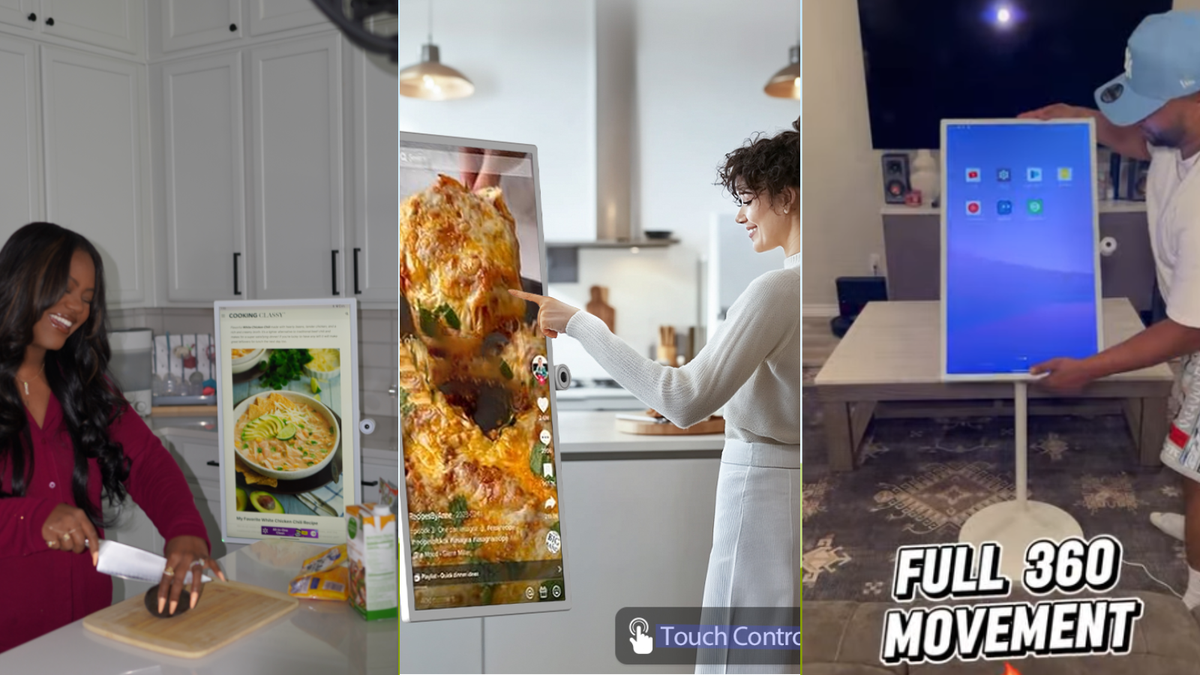
- Rollable, wheel-mounted base — move it between rooms, outdoors, or take it on the road
- 3–5 hours of cordless battery life, with 65W fast charging to top up quickly
- External 2K HD camera (plug-and-play) for video calls, streaming, or photography

Because it runs Android independently, the GFF S1 isn't limited to mirroring your laptop. It can run its own apps, hold its own video call, or display a dashboard on its own — while your laptop stays focused on primary work.
Portrait vs. Landscape: Use the Right Mode for the Task
Landscape suits wide, timeline-based work: video editing, spreadsheets with many columns, layout and design.
Portrait suits nearly everything else a remote workday involves:
- Reading long reports or documents top to bottom, without constant scrolling
- Writing, editing, and reviewing text
- Scanning code or logs line by line
- Keeping a dashboard, inbox, or chat window visible without cluttering your main screen
Because the GFF S1 rotates freely, switching between the two isn't a hardware limitation — it's a five-second adjustment.
A previous article explained how to choose the best monitors for a home office: How to Choose the Best Monitors for Home Office?
How Different Roles Use It
Writers and content professionals draft on their main screen and keep research, client briefs, or outlines open on the S1 in portrait mode — no scrolling back and forth mid-sentence.
Engineers and developers code on the primary display while using the S1 for documentation, logs, or a terminal window. Long files are easier to scan vertically, which cuts down on tab-switching.
Finance and business professionals keep dashboards, reports, and messaging tools open on the S1, freeing the main screen for active analysis and decision-making.

Built for Comfort, Not Just Capacity
A screen that adjusts to you — rather than the other way around — matters over an 8-hour day. With the S1's adjustable height and tilt, you can set the screen at eye level and reduce the neck strain that comes from looking down at a laptop or across at a fixed monitor.
Vertical viewing also means less side-to-side scanning and less scrolling, which adds up to less eye fatigue during long stretches of reading or writing.
A previous article explained how to set up a comfortable home office: Home Office Setup Ideas: How to Build a Comfortable and Productive Workspace.
Beyond the Workday
Because it's on wheels and battery-powered, the S1 doesn't need to stay near an outlet after 5 p.m. either.
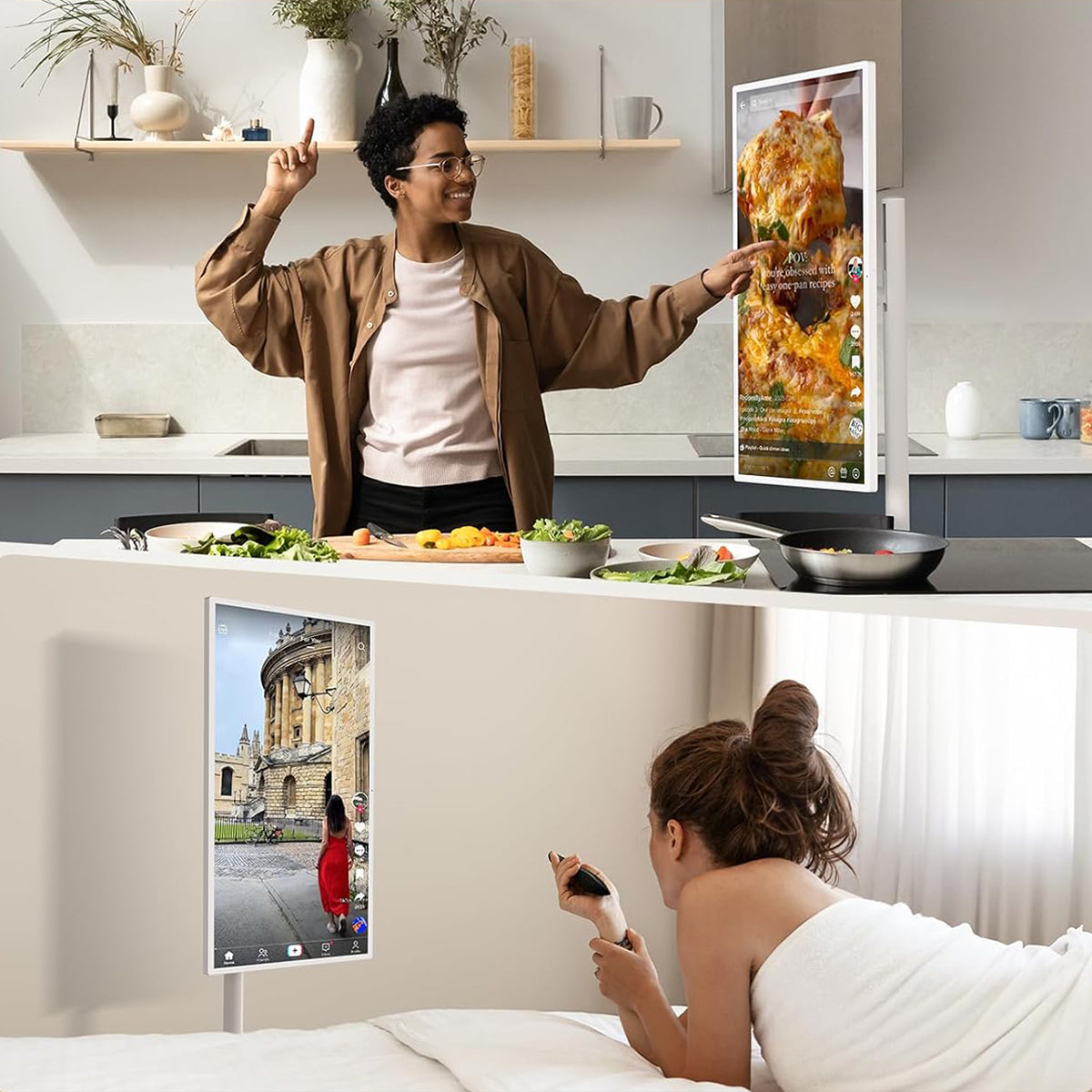
- Home fitness: roll it into your workout space and follow full-body routines in portrait mode without cropping.
- Cooking: prop it in the kitchen for hands-free, step-by-step recipe videos, readable from across the room.
- Casual viewing: shorts, reels, and vertical video content play full-screen — no black bars, no cropping.
The Bottom Line
A second monitor solves half the problem — more screen space, but still fixed in one spot, one orientation, one room. The GFF S1 solves the whole problem: a 32" touch display with real computing power of its own, that moves where the work (or the workout, or the recipe) takes you.
If cramped screens and constant window-switching are slowing down your workday, the fix isn't more willpower — it's the right screen, in the right place, in the right orientation.