

Table of Contents
Traditional TVs have mostly relied on fixed installation methods—either mounted on the wall with brackets or placed on a dedicated entertainment center. The immediate downside of this stationary setup? If you want to watch something in different spaces—say, the living room, bedroom, kitchen, or even on the balcony—you’re typically left with only two options: buy a separate TV for each room (costly and space-consuming) or wrestle with moving a heavy set, reconnecting cables, and readjusting the angle—a time‑consuming and physically taxing hassle.
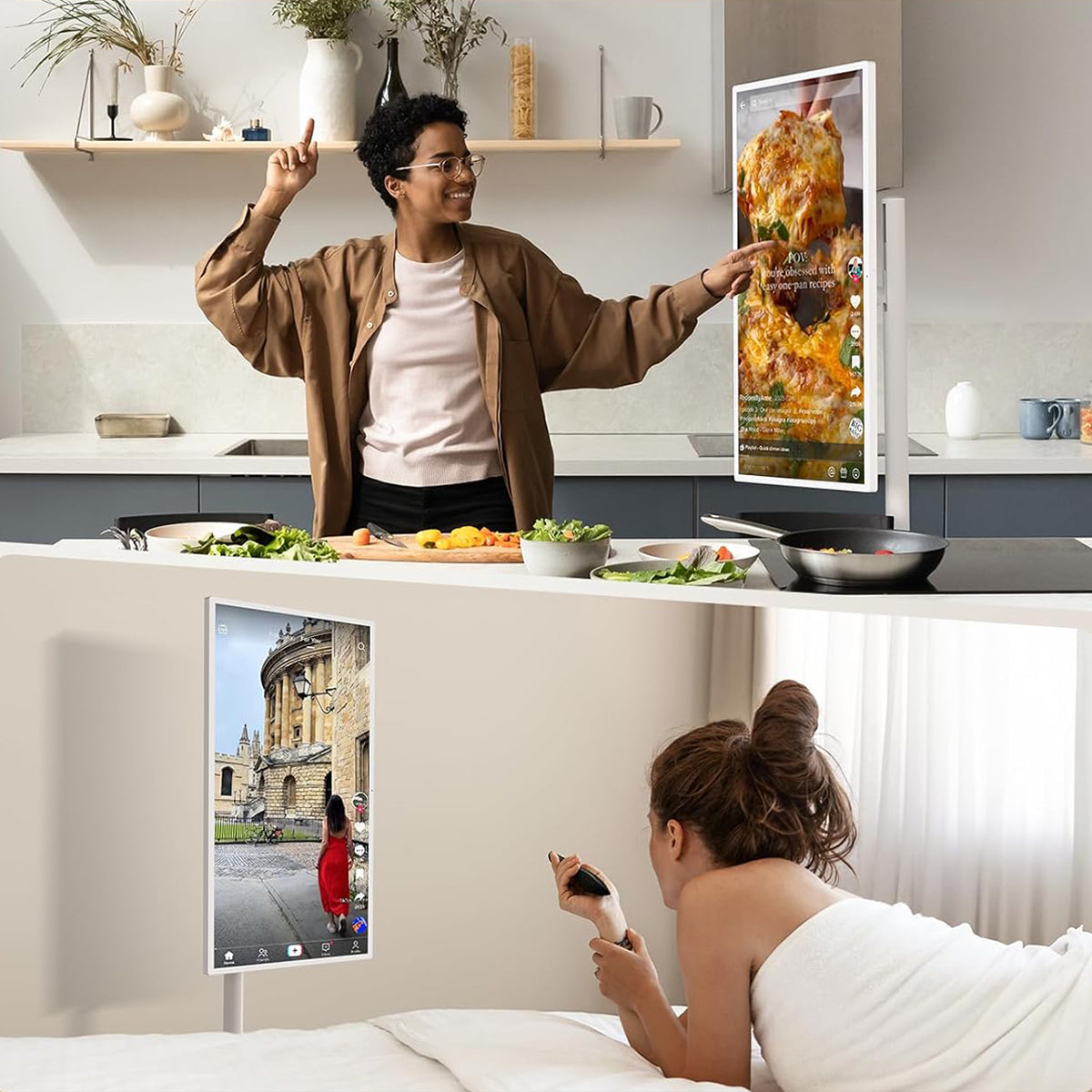
Today, however, the market offers a more flexible solution: the portable TV. These devices combine lightweight design, built‑in batteries, wireless casting, and adjustable stands—some even come with carrying handles or wheels, so you can tote them around as easily as a book or a tablet, taking them wherever you please. Whether you're curled up on the sofa binge‑watching, following a recipe in the kitchen, enjoying an outdoor movie in the yard, or propping it up on a hotel nightstand during a business trip or vacation, you get crisp audio and video instantly.
What's more, portable TVs typically support multiple signal sources (HDMI, USB‑C, Wi‑Fi streaming, etc.) and come with a smart operating system, so you don't need to rely on a fixed outlet or complicated wiring. They preserve the big‑screen experience of traditional televisions while blending in the convenience of mobile devices—truly shattering the old notion that "a TV has to stay in one place," and freeing home entertainment from the constraints of walls and power sockets.
What Is a Portable TV?
Before deciding to pick up a portable TV, it’s crucial to first understand the mainstream types available on the market. Different products vary significantly in form, features, and use cases—choosing the right one is the only way to truly get the most out of your mobile viewing experience. Currently, portable TVs can be roughly divided into the following three mainstream options:
Portable TV on Wheels
In the past two years, the most eye‑catching category in the portable TV space has undoubtedly been the Portable TV on Wheels. This form factor has completely shattered the long‑held notion that a TV must be tethered to a fixed location.
The trend was pioneered by LG. Around late 2021, LG launched the StanbyME (also marketed as the “art‑stand TV” in some regions). This model combines a 27‑inch touchscreen with a floor stand equipped with silent caster wheels. The screen can be freely rotated (switching between landscape and portrait modes), raised, lowered, and tilted. It comes with a built‑in battery that lasts about 3 hours, runs a smart operating system, and supports wireless casting as well as Bluetooth connectivity.
Competition in the market has brought about two positive developments. First, technology has accelerated—battery life has extended from the initial 2‑3 hours to over 5 hours, screen resolution has jumped from 1080P to 4K across the board, and outdoor versions with solar charging have even emerged.
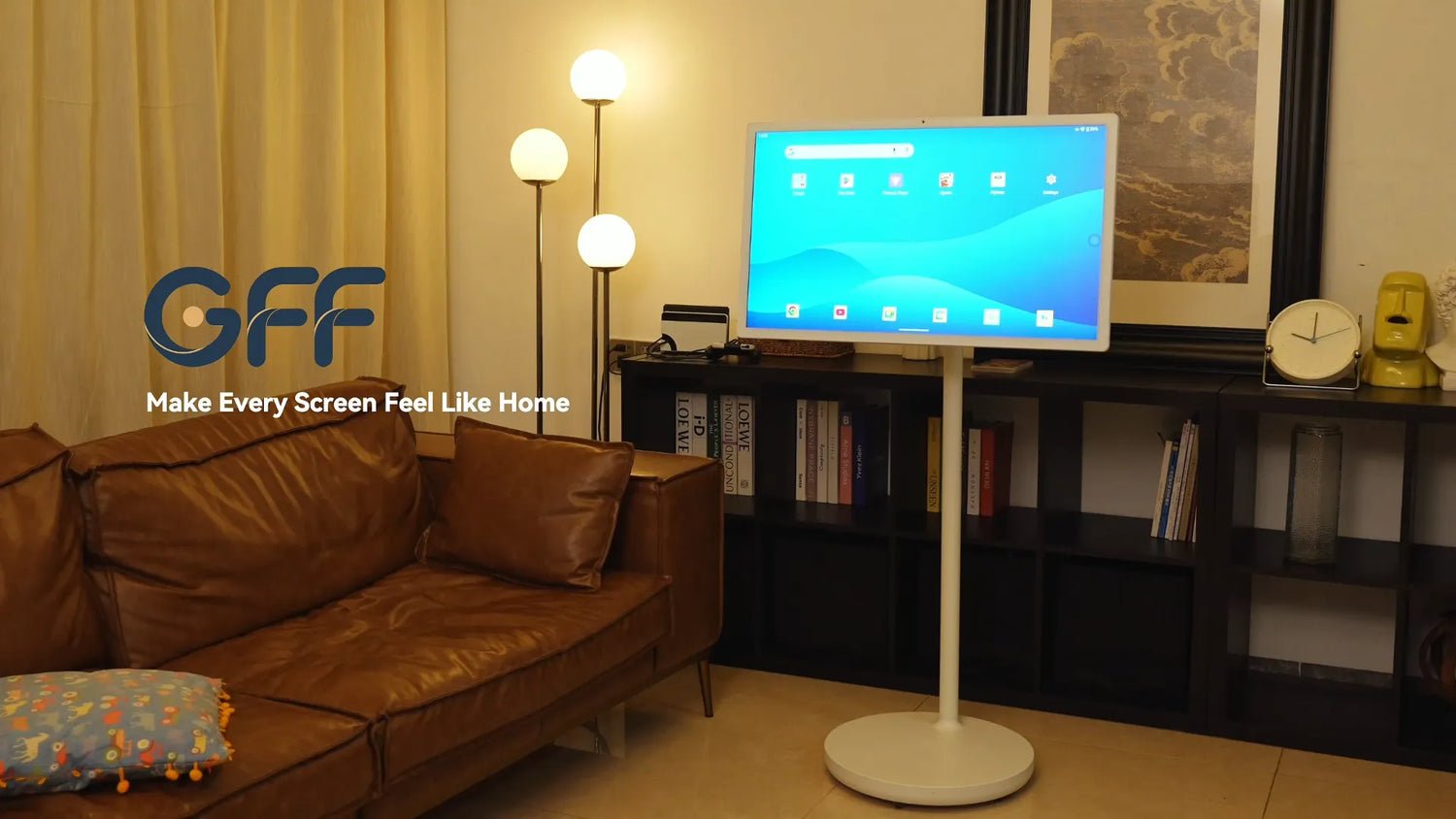
Second, prices have become much more accessible—when these products first hit the market, they often cost several thousand dollars, but now mid‑range models from mainstream brands have dropped to a few hundred dollars, significantly lowering the barrier for first‑time buyers. And where LG was once the only player, more brands—such as GFF, Samsung, and others—are now rolling out smarter designs with even more competitive features in the portable TV on wheels segment.

Touch Screen TV / Interactive Smart Screen
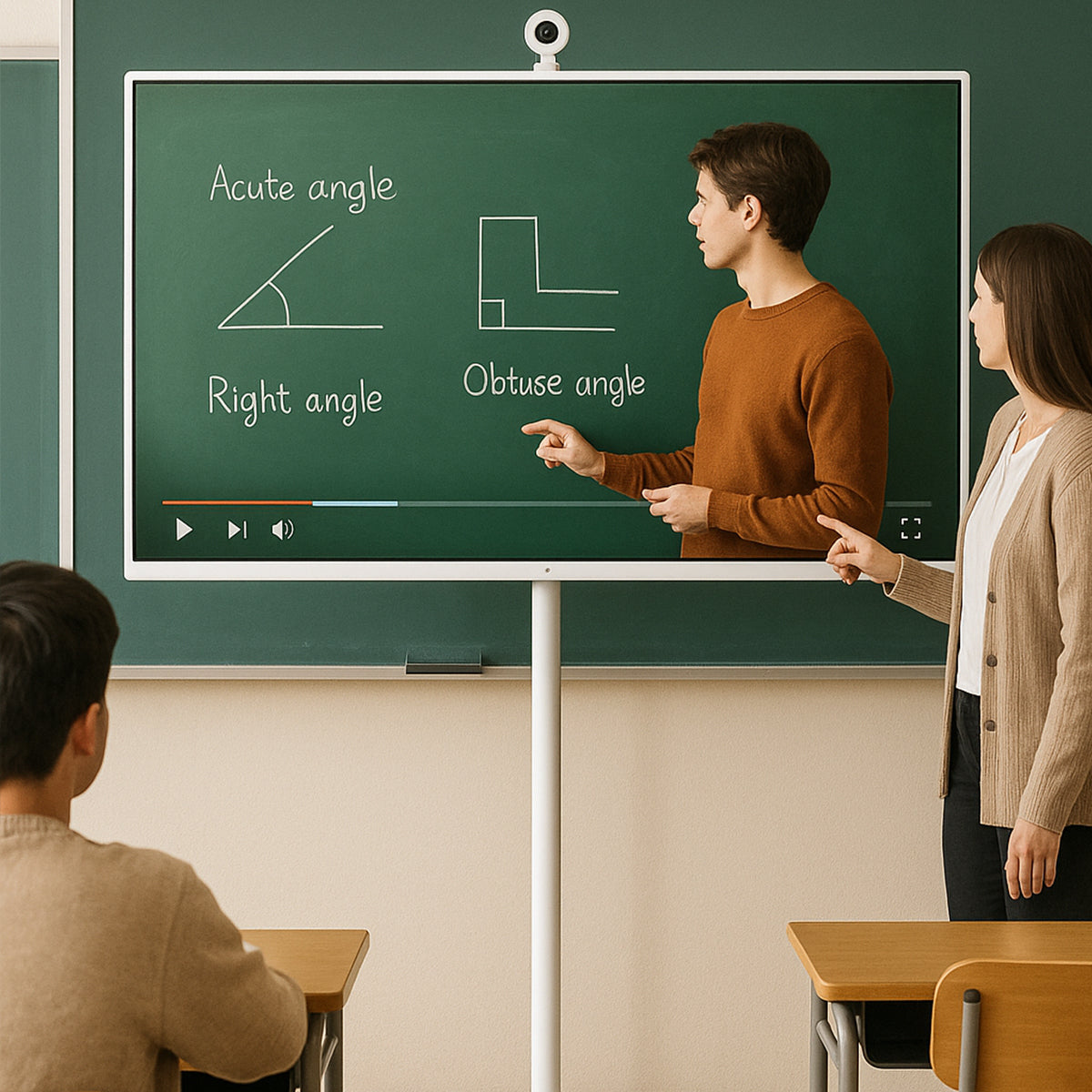
Touchscreen models come in two size categories. The smaller ones are essentially tablet‑like devices that you can easily take anywhere. The larger ones are Android or Windows touch‑screen all‑in‑ones—they offer the display capabilities of a TV while delivering the interactivity of a tablet. The screen supports multi‑touch and stylus input, and some even come with built‑in cameras and microphones, preloaded with video conferencing, whiteboard, screen‑casting, and other productivity apps. They typically include a movable stand as well, but the core selling point is "interactivity."
- Typical use cases: corporate meeting rooms, online teaching, creative design presentations, family parent‑child education, and fitness workout sessions.
- Key advantages: They combine TV and electronic whiteboard functionality, allow installation of a wide range of apps, facilitate multi‑user collaboration, and offer an intuitive touch‑based experience.

Rolling TV Stand + TV Combination
In addition to the all‑in‑one TV‑on‑wheels and touch‑screen interactive displays mentioned earlier, the market has also seen a more flexible and down‑to‑earth option emerge—the Rolling TV Stand + TV Combination. Rather than being an entirely new product category, this is more of a "modular" solution: you buy a mobile stand with swivel casters separately, then mount your existing regular TV—or a brand‑new set of any brand—onto it.
The benefits of this approach are clear. First, cost—a high‑quality mobile stand typically runs around $300, which is far less than purchasing a brand‑new all‑in‑one TV on wheels. Second, flexibility—you're free to choose any size, any brand, and any level of picture quality, whether it's a compact 32‑inch screen or a massive 85‑inch display, as long as the weight falls within the stand's capacity. Third, sustainability—when it's time to upgrade your TV down the road, you can get rid of the old set, but the stand can keep serving the new one. It's a one‑time investment that pays off for the long haul.
Different Types of Portable TVs Explained
| Type | Best For | Advantages | Limitations |
|---|---|---|---|
| Portable TV on Wheels | Home entertainment | All-in-one mobility | Higher price |
| Touch Screen TV | Interactive use | Touch features | Not necessary for everyone |
| Rolling TV Stand Setup | Budget users | Affordable | Less integrated |
| Battery Portable TV | Outdoor/travel | Easy transport | Smaller screen |
How to Choose a Portable TV: 10 Key Factors
Now that you know the different types of portable TVs and what each is best suited for, here are the ten factors that will help you pick the right one for your needs.
1. Screen Size
Portable TVs typically come in three size ranges — 22", 27", and 32" — which can be thought of as small, medium, and large:
- 22" (Small): The lightest and easiest to move around, ideal for bedrooms, kids' rooms, studies, or tight spaces. Also works well as a secondary or auxiliary display.
- 27" (Medium): A balance between portability and viewing experience, well-suited to small living rooms or apartments seating 3-4 people, and a popular choice as a multi-purpose family screen for streaming, video calls, and gaming.
- 32" (Large): Delivers a viewing experience closer to a traditional living-room TV. Great as a household's main screen, for interactive fitness/streaming use, or commercial display purposes (trade shows, retail). Keep in mind the unit is heavier, so the stand's load capacity and wheel stability matter more.
Tip: Decide based on how often you'll move it and where. If you're regularly wheeling it between rooms, 22"-27" is more practical. If it'll mostly stay in the living room as your main screen, 32" offers better value.

Screen size isn't necessarily bigger is better—it really comes down to your actual usage scenarios and viewing distance; see our related guide: Why Bigger Screens Aren’t Always Better for Portable Displays
2. Mobility and Stand Design
The biggest selling point of a portable TV is the ability to move it anywhere — and that depends entirely on stand quality:
Advantages of a mobile stand: No wall-mounting or drilling required — freely relocate between the living room, bedroom, kitchen, or home gym. Many stands also support tilt and rotation, letting you angle the screen for cooking, lounging, or working out.
What to look for:
- Wheel count and material — quiet, non-marking casters work best on hardwood or tile floors.
- Base width and weight distribution — larger screens need a wider, lower-center-of-gravity base to prevent wobbling or tipping when moved.
- A foldable/extendable stand pole, so height can be adjusted for sitting, standing, or different rooms.
- Tilt and rotation range — wider ranges (e.g., up 35°/down 20° tilt, 90° rotation) adapt to more use cases, from lying down to standing to mirror-style fitness setups.
3. Battery Life and Power Options
Battery capacity is what actually lets you unplug and move freely:
- Capacities vary widely, from around 7,000-8,000mAh on entry-level models up to 12,000mAh or even 20,000mAh on higher-end units. The larger the capacity, the longer it runs untethered — important if you move it frequently.
- Battery chemistry matters too: ternary lithium batteries are lighter for their energy density, while lithium iron phosphate (LiFePO4) batteries are more stable, have a longer cycle life, and are generally safer for long-term use.
- Check the charger's power output (e.g., 19V/3-5A fast-charging adapters) — higher wattage means shorter charging time. Some models also feature a bottom charging port for convenient charge-while-in-use.
- Recommendation: If you're only moving it occasionally between rooms, capacity isn't critical. But for events, camping, or spaces without a fixed outlet, prioritize large capacity plus fast charging.

4. Display Quality
Panel quality is what drives the actual viewing experience — focus on these specs:
- Resolution: Entry models are typically 1920×1080 (Full HD), while premium models go up to 3840×2160 (4K UHD). The difference is especially noticeable on 32" screens, so choose 4K if you prioritize sharp detail for movies or presentations.
- Backlight type: ELED backlighting is standard; higher-end models add AG (anti-glare) + AF (anti-fingerprint) glass coatings, which reduce reflections and fingerprint smudging — especially useful for frequently touched screens.
- Brightness and contrast: Higher brightness keeps the picture visible in well-lit rooms like kitchens or living rooms; higher contrast improves image depth.
- Aspect ratio: 16:9 is standard and compatible with virtually all video content.
5. Smart Operating System
The OS determines your app ecosystem and overall usability:
- Android TV / Android: The most common platform on portable TVs today, offering broad app compatibility (streaming, education, fitness apps, etc.). Newer OS versions (e.g., Android 15) generally mean better performance and security.
- Google TV: A refined UI layer built on Android TV, with friendlier content discovery and navigation.
- webOS: LG's TV platform — clean, simple UI, though a more closed ecosystem.
- tvOS: Apple's platform, great integration with iPhone/iPad but fewer device options.
Tip: If you rely on Google apps or want the flexibility to install third-party software, Android TV/Google TV is the better fit. If you prefer a minimal, streamlined viewing experience, webOS is a solid alternative.
Each smart operating system has its own advantages; see our related guide: Android vs webOS vs tvOS.

6. Touch Capability
Not every portable TV supports touch — this determines whether it's purely a viewing device or an interactive smart display:
- Capacitive touchscreens are the standard for touch-enabled models, supporting multi-touch input similar to a phone or tablet — useful for interactive learning, drawing, or annotating during video calls.
- If your main use is streaming or watching live TV, touch isn't essential. But for kids' education, interactive home fitness, or presentations, touch capability adds significant value.
7. Connectivity
Robust ports and wireless connectivity determine how well the TV fits into your existing devices and smart home setup:
- Wi-Fi: Look for Wi-Fi 6 or dual-band (2.4GHz + 5GHz) support for more stable connections, especially in homes with many connected devices.
- Bluetooth: Lets you pair wireless speakers, headphones, keyboards, or mice.
- HDMI: For connecting game consoles, laptops, or set-top boxes; some premium models support 4K HDMI input.
- USB-C / USB ports: Useful for data transfer, external storage, and sometimes power delivery. More ports mean more simultaneous device connections.
- Screen casting: Wirelessly mirror content from a phone or tablet to the big screen — handy for quick presentations or sharing content without cables.
8. Audio Quality
Built-in speaker configuration has a direct impact on viewing and calling experience:
- Entry-level models typically ship with 3W×2 speakers, sufficient for basic viewing. Mid-to-high-end models step up to 10W×2 or Hi-Fi-grade speakers, delivering clearer vocals and fuller bass — better suited for use as a main living-room screen.
- If audio quality is a priority, check whether the TV supports Bluetooth output to an external speaker to compensate for built-in speaker limitations.
9. Camera and Video Calling
A built-in camera turns a portable TV from a simple display into a large-screen smart terminal:
- Built-in camera resolutions typically range from 13MP to 16MP. Some models use a detachable or magnetic external camera, which can be removed when not in use for added privacy.
- Paired with an array microphone for far-field pickup, this enables video conferencing, calls with family, and interactive livestreaming.
- If you have family members who regularly video call relatives, a camera-and-microphone combo makes for a much more natural "big-screen calling" experience than a phone or tablet.

10. Build Quality and Reliability
Often overlooked, but critical for long-term use:
- Wheels: Look for casters with a brake/lock feature to prevent unwanted movement during use or while touching the screen. Wheel material should be durable and quiet, protecting your floors while minimizing noise.
- Materials: The thickness and quality of the housing directly affect impact resistance and lifespan. Anti-glare, anti-fingerprint glass treatment also improves long-term touch feel and visual comfort.
- Stability: Larger, heavier screens demand a well-matched base size and sturdy stand construction. Package weight and dimensions can be a useful indirect indicator of overall build solidity.
- Ports and buttons: Solid construction around USB, HDMI, Type-C, and DC-IN ports, along with a reliable power button, is often where quality differences show up over time.
Portable TV vs Other Display Options
Now that you understand the different types of portable TVs, comparing them against other display options will help you decide whether a portable TV is truly the right fit for your needs.
Portable TV vs Traditional TV
| Portable TV | Traditional TV | |
|---|---|---|
| Mobility | Wheeled stand, moves freely between rooms | Wall-mounted or fixed on a stand, not designed to move |
| Setup | No wall-mounting, no drilling, plug-and-play | Often requires wall mounting or a fixed console |
| Power | Built-in battery, can run untethered for hours | Requires constant power connection |
| Touch/Interactivity | Many models support capacitive touchscreen | Rarely touch-enabled |
| Screen size | Typically 22"-32" | Wide range, including much larger sizes (55"+) |
| Best value use | Multi-room households, renters, flexible layouts | Single, permanent living-room setup |
If your household already has a dedicated TV setup and simply wants a bigger, better main screen, a traditional TV is usually the more cost-effective choice. If you want one screen that adapts to multiple rooms and use cases, a portable TV wins.
Portable TV vs Tablet
Both run on similar operating systems (often Android), but they serve very different purposes:
- Screen size and viewing distance: A tablet is designed for close-range, handheld use (10"-13"), while a portable TV (22"-32") is built for shared, across-the-room viewing — much better suited for multiple people watching together.
- Power and battery: Tablets are optimized for all-day, ultra-portable battery life in a thin body; portable TVs carry larger batteries (often 7,000mAh-20,000mAh) to power a much bigger, brighter display, but are meant to be wheeled around rather than carried in a bag.
- Stand and hands-free use: A portable TV's wheeled stand with tilt/rotation means it stays hands-free and stable in one spot — ideal for cooking, exercising, or group video calls — while a tablet typically needs to be propped up or held.
- Audio: Portable TVs generally have larger, more powerful built-in speakers (up to 10W×2 or Hi-Fi grade) compared to a tablet's compact speakers.
For a deeper breakdown of the software and ecosystem side of this comparison, see our related guide: Android TV vs Android Tablet.
Portable TV vs Projector
- Image quality in daylight: Portable TVs use an LED/LCD panel, so they stay clear and bright even in well-lit rooms. Projectors typically need a darkened room or blackout curtains to look their best.
- Setup time: A portable TV is ready to use the moment you wheel it into place and power it on. Projectors usually require a screen or blank wall, distance calibration, and focus adjustment each time you move them.
- Screen size flexibility: Projectors can produce a much larger image (80"+) at a lower cost per inch, which portable TVs can't match at typical 22"-32" sizes.
- Interactivity: Touch-capable portable TVs support direct interaction; projectors offer no native touch functionality.
- Ambient noise and durability: Projectors rely on a fan and bulb/laser light source, which involves more maintenance over time; portable TVs are closer to a standard TV panel in terms of long-term reliability.
For a full three-way comparison including tablets, see our related guide: Portable TV vs Tablet vs Projector.
Portable TV vs Smart Monitor
- Primary purpose: Smart monitors are generally optimized for productivity and PC/console input (often with higher refresh rates and finer pixel density for close-up desk use), while portable TVs are built around entertainment, streaming apps, and shared/family use.
- Built-in smart OS: Both can run smart platforms (Android, Google TV, etc.), but portable TVs are more consistently designed around a full TV-app experience out of the box, whereas many smart monitors treat the smart OS as a secondary feature to their monitor function.
- Mobility: Portable TVs come standard with a wheeled, height-adjustable stand designed for room-to-room movement. Smart monitors typically ship with a basic desk stand or VESA mount, built for a fixed desk setup rather than relocation.
- Power source: Portable TVs typically include a built-in battery for cord-free use; most smart monitors require a constant power connection.
- Camera and calling: Portable TVs increasingly include a built-in or magnetic camera and array microphone for video calls on the big screen — a feature far less common on smart monitors.
Best Portable TV for Different Uses
Best Portable TV for Bedroom
A 22" model is usually the best fit — compact enough not to overwhelm the room, light enough to reposition easily, and easy to angle toward the bed with a tilt-adjustable stand. Look for a quiet power button, decent built-in speakers, and a stand that can be tucked into a corner when not in use.
Best Portable TV for Small Apartments
A 22"-27" model works well, offering a good balance between screen size and floor space. Prioritize a compact wheeled base that fits through doorways and narrow hallways, plus a foldable stand pole so the TV can shrink down for storage or moving between rooms.
Best Portable TV for Kitchen
Look for a 22"-27" touchscreen model with a tilt-adjustable stand — touch control is handy for pulling up recipes or videos with messy hands nearby, and tilt lets you angle the screen while cooking. A water-resistant, easy-to-wipe glass panel (with anti-fingerprint coating) is a plus in this environment.
Best Portable TV for Outdoor Use
Battery life matters most here — choose a model with a large-capacity battery (12,000mAh or higher) so it can run for hours without a power outlet. A sturdy stand with locking wheels helps keep it stable on uneven surfaces like patios or decks, and higher screen brightness improves visibility in daylight.
Best Portable TV for Business
A 32" model with 4K resolution, a built-in camera, and an array microphone is best for meetings and presentations. Touch capability adds interactivity for whiteboarding or walkthroughs, while strong Wi-Fi (Wi-Fi 6) and multiple ports (HDMI, USB-C) make it easy to connect laptops and other devices in a conference room or office setting.
How Much Does a Portable TV Cost?
Beyond features and performance, price is one of the biggest factors in the buying decision. Depending on screen size and specifications, portable TVs typically range from $500 to $1,200.
By screen size:
- 22" models: generally the most affordable, starting around $500-$700. These cover the essentials — Full HD resolution, touchscreen, and a basic battery.
- 27" models: sit in the middle of the range, roughly $650-$900, balancing screen size with portability.
- 32" models: the priciest tier, from about $800 up to $1,200, especially for 4K resolution, larger batteries, and premium build quality.
What drives the price within each size:
- Resolution: 4K panels cost noticeably more than Full HD.
- Battery capacity: larger batteries (12,000mAh-20,000mAh) add to the price but extend cord-free use.
- Touch capability: capacitive touchscreens raise the cost over non-touch models.
- Camera and microphone: built-in or magnetic cameras with array microphones add a premium, especially on business-oriented models.
- Audio quality: Hi-Fi speaker upgrades (10W×2 or higher) cost more than basic speaker setups.
- Stand design: Foldable, extendable stands with wider tilt/rotation ranges are typically found on higher-priced models.
If you mainly need a simple, movable screen for casual viewing, a 22" model at the lower end of the range covers most needs. If you want 4K clarity, longer battery life, and video-calling features — for business use or as a family's main screen — expect to pay closer to the $1,000-$1,200 range.
Are Portable TVs Worth It?
A portable TV is worth it if you value flexibility over having the biggest possible fixed screen. It makes the most sense if you:
- Move between rooms often and want one screen for the bedroom, kitchen, and living room
- Rent your home and can't mount a TV to the wall
- Want a hands-free display for cooking, working out, or video calls
- Need a screen for a space without a dedicated TV setup, like a small apartment or home office
- Value built-in battery power for use away from an outlet
It's less worth it if you already have a fixed TV setup and mainly want the largest screen possible for a permanent living room — in that case, a traditional TV usually offers better value per inch.
Want to know if a portable TV or touch screen TV is the right choice for you? This article can help you decide: Are Touch Screen TVs Worth It?
FAQ
1. Are portable TVs worth buying?
Yes, if you value mobility — moving between rooms, no wall mounting, and battery-powered use. If you just want the biggest fixed screen for one room, a traditional TV offers better value.
2. Do portable TVs have batteries?
Yes, most models include a built-in rechargeable battery, typically ranging from 7,000mAh to 20,000mAh, letting you use them for hours without being plugged in.
3. Can portable TVs work without WiFi?
Yes. You can watch content via HDMI-connected devices (game console, laptop, set-top box) or USB media without WiFi. Streaming apps, however, require an internet connection.
4. What is the best size for a portable TV?
It depends on the space: 22" for bedrooms or small rooms, 27" for small apartments or kitchens, and 32" for living rooms or business use.
5. Can I use a portable TV outdoors?
Yes, as long as it has a large-capacity battery and a stable stand. Keep in mind most models aren't waterproof, so they're best for covered patios or short-term outdoor use, not direct rain exposure.
6. What is the difference between a portable TV and a smart monitor?
A portable TV is built for mobility and entertainment, with a wheeled stand, battery, and TV apps. A smart monitor is built for a fixed desk setup, optimized for PC/console input rather than moving around.
Conclusion
Choosing the right portable TV comes down to matching the screen to how you actually live. Start by identifying where and how you'll use it — a bedroom, a small apartment, a kitchen, or a home office — then narrow down the size, battery capacity, resolution, and features (touch, camera, connectivity) that fit that use case. From there, weigh the price against what matters most to you: a 22" model covers the basics affordably, while a 32" 4K model with a built-in camera and Hi-Fi speakers suits business use or a family's main screen.
Ultimately, a portable TV isn't meant to replace every other display in your home — it's meant to give you one flexible screen that moves with you. If mobility, convenience, and multi-room use matter more than having the single largest fixed screen possible, a portable TV is a smart, worthwhile investment.